Monthly Archives

September 2026

Opening — what matters to you right now

You want a reliable solar inverter that won’t cause surprises on commissioning day, and you want plain answers. For many small project owners and installers I work with, questions start with durability, compatibility with batteries, and support. Field experience from rooftop and commercial installs around Colombo shows those points matter more than fancy marketing. A good technical spec should also call it a pv inverter clearly so everyone on site speaks the same language.

What buyers actually ask (and why those questions matter)

– Will this unit match my PV array and battery? – What certifications and warranties come with it? – How easy is monitoring and firmware update? – Who fixes it if it fails during warranty? You should get answers that are specific: model numbers for compatibility, a named local service partner, and a clear warranty scope that covers parts and labour. Vague promises aren’t usable on site.

Key technical terms to understand

– String inverter — one inverter serves many panels; simple and cost-effective for uniform arrays. – Microinverter — fits under each panel; helps with shading and mismatched modules. – Central inverter — large, used for utility-scale plants; needs specialised maintenance. – MPPT (Maximum Power Point Tracker) — each tracker extracts maximum power from its string; more trackers means better handling of different orientations. – Grid-tie vs off-grid — grid-tie inverters export to the grid; off-grid (or hybrid) work with batteries and islanding control. – Anti-islanding — safety feature to stop backfeeding the grid during outages. – IP rating and cooling strategy — protects against dust and rain; ventilation affects lifetime. – THD (Total Harmonic Distortion) — affects sensitive loads; low THD is better for appliances. – Communication protocols — RS485, Modbus, or Ethernet for monitoring and SCADA integration. – Certifications (IEC, UL) — these show the unit was tested to recognised safety and grid interconnection standards.

How to match an inverter to your project — a user-focused checklist

– Size your AC load and expected PV output first. – Choose number of MPPTs and string layouts to avoid mismatches; keep shading in mind. – Consider DC-to-AC ratio carefully so you don’t create unnecessary clipping or void warranties. – Check battery chemistry compatibility and whether the inverter manages battery charging or needs an external BMS. – Verify ambient temperature limits and derating behaviour; a hot rooftop lowers real output. – Confirm service network and spare-parts lead time before you buy. Take each step with the actual site drawings and module datasheets at hand; assumptions lead to costly changes later.

Common mistakes buyers make

– Choosing purely on price and ignoring local support. – Overlooking firmware update policy; some vendors charge for updates or have poor release cadence. – Failing to check compatibility with existing meters or protection relays. – Installing inverters with insufficient ventilation or wrong mounting orientation. – Assuming warranties are worldwide — many OEM warranties are regional and require authorised installers. Avoid those errors by insisting on written confirmation for support, firmware policy, and warranty coverage before signing.

Alternatives and quick evaluation of options

– Buy direct from an OEM when you need specific customisation or factory support. – Use an established manufacturer with a local distributor when you need fast spares and on-site service. – Consider refurbished or third-party options only for temporary or low-criticality sites, and then get test reports. When you compare offers, ask for real-world performance logs and a list of recent local installations so you can confirm performance claims.

Practical pre-purchase questions to demand answers for every quote

– Exact model and firmware version to be supplied. – Certificate copies (safety, grid compliance) and recent test reports. – Local service contact and maximum response time. – Spare-part list and expected lead times. – Clear warranty terms that say what’s covered and who pays travel or labour. Collect those items before you release payment or sign an installation contract.

Closing — how this helps you choose well

When you buy with this checklist and wording, you reduce surprises on site and make sure the spec matches real needs. For installers I’ve worked with, parts lists, firmware records and clear service contacts from Ktech have often bridged the gap between paper specs and what actually happens under the sun.

0 comments
0 FacebookTwitterPinterestEmail

The user-centric approach to seating begins with the human moment — the dull scrape of a foot against the aisle, the soft exhale when a cushioned back finally gives, the collective hush before a performance. Start there and the technical choices follow. For many projects, specifying robust auditorium seating early saves headaches later: sightlines align, circulation flows, and the venue feels intentionally made for people rather than for boxes of parts.

Mapping audience needs first

Think of your audience as a spectrum of physical expectations and sensory preferences. School auditoriums need durable upholstery that resists staining; conference halls demand clear sightlines for presentations; performing arts spaces require acoustically friendly seat backs. Prioritize aisle width and seat pitch so patrons don’t feel cramped and so staff can perform quick turnovers. ADA compliance should be treated as a baseline — not a checkbox — because accessibility affects experience for everyone.

Design elements that actually change the room

Materials, geometry, and mechanisms are where the space takes on a character. A rigid shell with a soft foam pad creates an audible whisper when people sit — intimate. Fixed risers and staggered rows preserve sightlines; retractable systems free floor space when needed. Consider ergonomics and armrest layout alongside acoustic panels; seating interacts with room sound almost like a musician interacts with an instrument. If your project leans toward larger venues, integrate theater stadium seating into the early drawings so rake angles and row depths are coordinated rather than retrofitted.

Procurement and scaling strategies

Buy in phases based on use patterns: prioritize front sections and high-visibility zones first, then roll out peripheral rows. Modular components — bolted frames, interchangeable upholstery panels, and standardized folding mechanisms — make future expansion predictable and less costly. Many teams learned this after the 2012 London Olympic Stadium reconfiguration, when modular planning simplified post-games conversions. Track supplier lead times and warranty terms closely; a multi-site rollout requires tight coordination between fabrication, delivery windows, and installation crews.

Common mistakes teams make — and how to avoid them

Too often, projects focus solely on initial price and ignore lifecycle costs: maintenance frequency, replaceable parts, and the complexity of cleaning fabrics. Another frequent error is mismatched sightlines due to inconsistent riser heights — that’s fixable only at great expense. Don’t let aesthetics overwhelm function: delicate finishes in high-traffic zones will show wear quickly. Also, document how {main_keyword} interfaces with HVAC and egress plans and note where {variation_keyword} may affect row spacing — these operational details keep installations on schedule. Minor slip-ups here cause major schedule shocks — so plan conservatively.

Installation, testing, and early performance checks

On install day, confirm anchor points, verify seat pitch against drawings, and run a quick acoustic check with occupied seats to assess sound absorption. A small block audience test reveals real ergonomics: how bodies settle, whether folding seats return smoothly, and whether aisles allow steady egress. Keep spare hardware onsite for immediate repairs; having a vendor-trained installer for the first 48 hours reduces user complaints and prevents warranty disputes.

Three golden rules for selecting the right seating

1) Durability score: insist on documented lifecycle estimates (years of average use) and request case studies from comparable venues. Prioritize robust frames and replaceable upholstery panels. 2) Service ecosystem: confirm local installation teams, parts availability, and response SLA for repairs — fast parts keep turnover reliable. 3) Experience fit: validate sightlines, acoustics, and ergonomics with a physical mock-up or on-site sampling; numbers on paper rarely match the feel of a real seat.

Choosing suppliers who understand auditorium seating and theater stadium seating as living systems — not one-off purchases — will pay off in lower maintenance, happier audiences, and smoother events. A supplier that aligns design, delivery, and field service becomes part of your operations rhythm. leadcom seating. —

0 comments
0 FacebookTwitterPinterestEmail

Opening: A slow evolution, measured like tabla beats

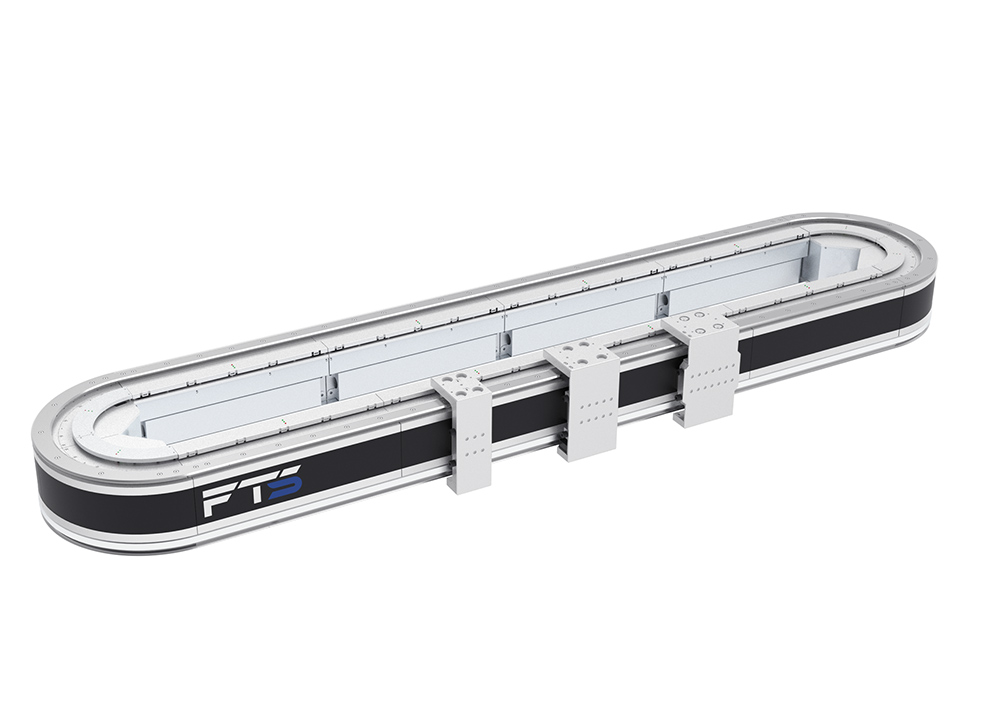
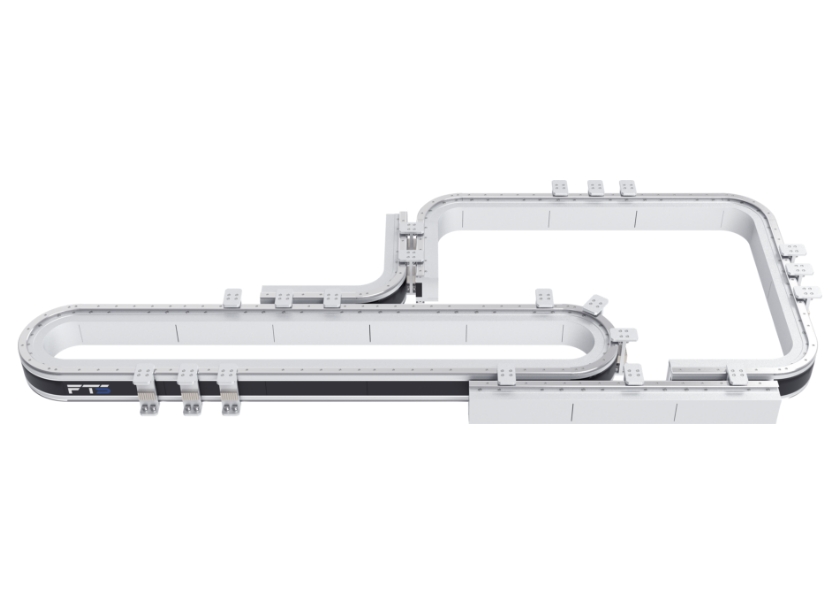
The factory floor learns to breathe differently, step by step — first driven by hands, then by belts, now by an intelligent conveyor system that nudges parts along like a patient river. I tell this as an observer who has watched toolrooms and control rooms trade notes, feeling the shift toward continuous care rather than sudden fixes. Where the motion is linear and deliberate, the linear drive motor often becomes the quiet center of routine checks and small miracles alike.

intelligent conveyor system

How maintenance grew from reaction to craft

Once, maintenance meant waiting for a breakdown; now it is choreography. Engineers documented fault patterns, technicians traded tinker-tips, and manufacturers began to prefer small, scheduled touches to large, costly overhauls. I write from repeated visits to plants and conversations with engineers who prefer steady rhythms over frantic repair. The result: fewer emergency stops, clearer root causes, and a habit of catching wear at the whisper stage.

Preventive checklist — precise, tangible steps

Keep this list in your front pocket; read it before a shift and after an odd noise. Each line is actionable and easy to verify.- Visual sweep: inspect couplings, connectors, cable routing, fasteners for looseness or fray. – Lubrication: follow manufacturer intervals; use specified greases and avoid over-application. – Alignment and runout: check shafts, guide rails, and rail blocks; micro-misalignment shortens bearing life. – Sensor and encoder calibration: confirm zero positions and check noise on signal lines. – Thermal check: measure motor and drive temperatures under load; note any drift from baseline. – Vibration monitoring: a small persistent wobble precedes large failure; log and compare. – Firmware and parameter audit: record current firmware and PLL/gain settings before changes. – Backup and restore: keep a verified copy of control parameters and drive files offsite. – Safety testing: verify e-stops, interlocks, and light curtains once per shift cycle, and after any mechanical work. – Documentation update: mark hours and interventions; a clean log prevents repeated mistakes.

Focusing on the drive: what technicians often miss

The drive is temperament and method. Common misses include loose encoder mounts, forgotten cold-solder joints in connectors, and vented housings clogged with dust. When a linear drive motor signals a fault, technicians sometimes chase symptoms—current spikes, position loss—without checking simple items: cable strain relief, connector pins, or the motor’s cooling path. Catch these, and many “mystery” faults resolve without swapping expensive parts.

Common pitfalls and how the evolution story corrects them

Older practices favored replacement after failure. That left knowledge in broken parts. The evolved approach keeps knowledge in logs and habits. Pitfalls to avoid:- Ignoring small anomalies because “it still runs.” – Skipping parameter backups before commissioning. – Over-relying on canned diagnostics and missing physical inspection. – Treating vibration as nuisance instead of early warning.

Alternatives and when to choose them

Predictive sensor arrays, acoustic analysis, and cloud-based analytics each offer value. Choose local vibration sensing when failures show mechanical signatures. Choose analytics when fleet-level comparisons matter. For a single line with frequent product changeover, simple visual discipline plus encoder checks often outperform complex overlays. The right choice depends on fault visibility, staff skill, and mean time between failures.

Evidence and experience: why this matters

Manufacturers who shifted from reactive to preventive regimes report steadier throughput and lower emergency downtime. I reference widespread demonstrations of advanced linear motion at Automatica in Munich, where exhibitors and practitioners compared field results and maintenance practices around linear actuators and motors. This shared industry dialogue informs the checklist above; it is grounded in observed deployments and peer-validated technique rather than theory alone.

Short troubleshooting guide — quick reads for technicians

If a drive faults on position loss: – Stop attempts to “home” repeatedly; preserve component state. – Check encoder cable continuity and connector seating. – Confirm mechanical stops and couplings move freely. – Review drive fault code against the logged conditions; note ambient temperature. If vibration increases: inspect bearings, looseness at mount points, and rail contamination. Keep notes; patterns tell stories.

intelligent conveyor system

Wrap-up: a steady practice becomes a trusted system

Maintenance matured because people turned fixes into rhythms, and rhythms into records. The checklist above is an interruption-resistant routine that captures small signs before they demand big action. That habit, practiced with clear logs and careful hands, brings predictability to motion systems and preserves capital. This is the value I have seen time and again on shop floors and in technical reviews, and it is the practical contribution that companies like FHS bring to the steady work of keeping lines moving.

0 comments
0 FacebookTwitterPinterestEmail

The problem that starts before you even order

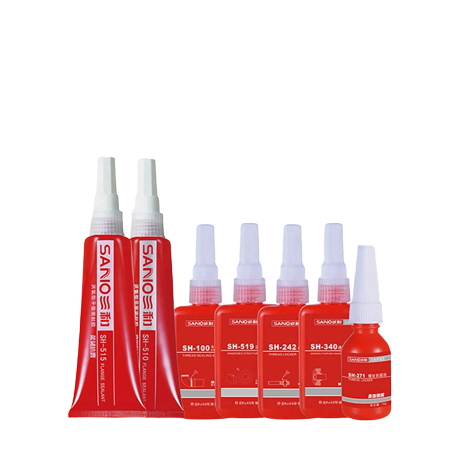
You need a threadlocker that actually holds, not one that flakes off after a heat cycle or gums up your assembly line. Pick the wrong supplier and you’re stuck with rework, warranty claims and late nights. Start by naming the real failure modes: poor cure, wrong viscosity, contamination, or inconsistent batches. Don’t assume “industrial grade” means the same thing everywhere — check the chemical description and sample performance. If you’re prototyping, have a sample of your application parts and a jar of your chosen thread locker on the bench before you commit.

thread locker

What to demand from specs — clear, testable items

Ask for measurable specs. Don’t settle for vague promises. Insist on viscosity (at a stated rpm and temp), cure time at your typical assembly temperature, shear and torque values after cure, shelf life with storage conditions, and exact allowable solvents or blockers. Specify the substrates (steel, aluminium, coated fasteners, plated surfaces) and the expected temperature range. Require a certificate of analysis for the batch you receive. If they can’t provide these, they can’t be trusted to scale.

Testing and compliance you should require

Set test methods before anyone mixes anything. Typical checks: lap-shear after full cure, torque retention after thermal cycling, and salt-spray resistance if you’re outdoors. Ask for MSDS, RoHS and REACH declarations where relevant, plus traceability to raw materials. Third-party testing is worth the cost when safety or liability’s on the line. If a supplier references ISO 9001 and shows sample data from recognized ASTM methods (for example, shear tests or thermal endurance standards), that’s a practical sign they’ve got a process, not just marketing copy.

Experience counts — a real-world anchor and why it matters

Major aircraft assembly hubs like Airbus in Toulouse emphasise strict adhesive control because failures are costly and visible. That’s why teams demand tailored formulations and detailed test reports before any part hits final assembly. Match that approach: ask how the supplier handles custom formulations, contamination control and repeatable cure profiles. If you need a specific formulation, reference a known product class and request a prototype labelled as custom threadlocker adhesive so lab personnel know to track variables. Proven experience servicing regulated industries indicates the supplier can document and reproduce results.

Common pitfalls that actually cause failures

1) Over-specifying strength without checking substrate compatibility — a stronger adhesive on an incompatible coating just peels. 2) Ignoring cure environment — full cure at room temp ≠ full cure in a cold factory. 3) Skipping batch traceability — if a batch fails, you want root-cause, not guesswork. 4) Assuming packaging is irrelevant — small-volume syringes and bulk drums need different preservatives and dispensing controls. Avoid these and you’ll cut callbacks.

thread locker

Practical short checklist before you sign a PO

Confirm: supplier provides C of A and MSDS, batch traceability, explicit test methods and results, custom formulation capability, minimum order quantities that fit your program, lead times and contingency stock, and a clear warranty or remediation policy. Ask for on-site tech support or a short trial run. If they offer post-sale technical documentation and a simple escalation path, that’s a sign of maturity.

Wrap-up: what success looks like

Be precise. Write specs that are testable. Validate on your parts under your conditions. Demand traceability and measurable data. That practical approach reduces surprises and keeps assemblies working the first time. Suppliers who publish clear spec sheets, back samples with test data and support prototype runs make your job easier — which is exactly the sort of consistency people lean on when choosing partners like SANVO.

0 comments
0 FacebookTwitterPinterestEmail

Opening: where the problem begins

I watch a cubicle substation the way someone watches a clock that suddenly ticks louder—curious, attentive, a little worried. The problem is subtle at first: a loose terminal, a rising temperature on a breaker, a moisture stain that nobody logged. These small issues compound until the power path itself is unreliable. This piece is problem-driven—I’ll name the failures, trace their causes, and give a compact checklist that helps you stop them before they cascade.

What usually breaks—and why

Most outages aren’t dramatic. They’re boring. Corroded connections. Fouled insulation. Misapplied protection settings. Human error during commissioning. A design detail that didn’t account for local humidity. Each item is simple to describe and harder to catch in routine checks. When you treat these as symptoms, you start looking for root causes instead of chasing alarms.

Checklist: essential maintenance and testing steps

Follow these checks with steady attention. Do them on schedule. Note: frequency depends on environment and load, but nothing here is optional.

– Visual inspection: doors, seals, cable entries, corrosion, oil stains. Look for anything that shouldn’t be there.

– Torque and contact integrity: verify torque on busbars and bolted joints; infrared-scan hot spots under load.

– Insulation and dielectric tests: insulation resistance and, where applicable, power-factor or tan delta to detect moisture or ageing.

– Protection testing: trip settings, relay logic, and end-to-end tripping. Simulate faults; confirm actual breaker operation time.

– Functional tests for remote monitoring and alarms: verify telemetry, timestamps, and event logs are accurate and untampered.

– Environmental controls: HVAC filters, drainage, and desiccant status if used. Moisture kills slowly; don’t let it.

– Battery systems: capacity tests, internal resistance checks, and terminal connections. Batteries fail silently until they don’t.

– Documentation and change logs: capture every alteration, test result, and maintenance action. If it’s not logged, it effectively didn’t happen.

Common mistakes that make checks useless

People skip fundamentals. They assume a relay was set during commissioning and never verify if settings changed. They hand-wave minor temperature rises as “normal” during peak load. They mix old parts without retesting compatibility. They use single-point checks and call it a day. Each shortcut leaves ambiguity. Ambiguity becomes risk.

Practical pitfalls during prefabricated substation operations

Mistakes cluster around three themes: environment, integration, and human process. Environment: prefabricated units get sited fast, sometimes without full drainage plans. Integration: field cabling and protection coordination often diverge from shop-tested conditions. Human process: shift changes, poor handover notes, and untested remote access create surprises. Addressing those three reduces the frequency of repeat failures.

Experience, standards, and a real-world anchor

I’ve audited installation lines and maintenance regimes and seen the same checklist work where it counts. Apply relevant IEC and IEEE standards to what you test, and you’ll speak the same technical language as protection engineers and designers. A useful real-world anchor: production and assembly clusters around Wuxi in Jiangsu province are commonly cited in trade reporting for prefabricated substation manufacturing, and practices observed there reflect both shop testing and modular assembly realities—this helps explain recurrent site integration issues. For suppliers or spec guidance, consider the factory perspective: china prefabricated box substation factory. Trustworthiness comes from repeatable checks, clear logs, and cross-checking shop tests with field conditions.

How to make the checklist live in your operations

Don’t make the checklist a paper ritual. Tie each test to an owner and a deadline. Use condition thresholds that trigger corrective work orders automatically. Avoid one-off fixes; add small recurring inspections for items that fail most often. When you find an anomaly, follow it until you understand why it occurred and close the loop with an updated procedure.

Alternatives and when to choose them

Sometimes full-time maintenance staff isn’t viable. Outsource to specialized contractors who provide modular test packs and field-reporting. For very small sites, prioritize a pared checklist: visual, torque, and protection trip tests. For high-availability sites, add redundancy verification and automatic remote diagnostics. Each choice trades cost, time, and risk—decide by the failure cost, not by routine convenience.

Closing thought

You don’t need flair to keep power flowing. You need steady checks, honest records, and the discipline to fix the causes, not just the symptoms. That steady work—applied at the factory bench and at the field terminal—reduces surprises. Practical firms know that approach; it’s why teams collaborate with experienced modular suppliers and engineering partners who understand both shop testing and site realities, such as those associated with Daqo Group.

0 comments
0 FacebookTwitterPinterestEmail

What’s the core problem?

You grab a prepaid eSIM before a trip or a marathon session, and it either throttles, refuses to provision, or evaporates the moment you need it. That sucks mid-match or mid-work. If you want a stable connection without guessing which supplier actually delivers, start from the pain: inconsistent provisioning, opaque fair-use rules, and hidden limits. I test for those failure modes and I also keep a cheat-code in mind: Lifetime eSIM often claims clarity on longevity — but the truth is in the specs and the hand-off process.

Lifetime eSIM

How manufacturers and suppliers dodge clarity

Manufacturers brag about “global coverage” while suppliers pile on caveats. “Unlimited” becomes smart-throttled after X GB. “Roaming” works in some countries, not in others. Vendors use different APNs, provisioning windows, and eSIM profile formats that break automated installers. Assume claims are marketing until you verify: check provisioning timeout, activation window, and whether the profile survives OS updates.

Checklist: metrics that actually matter

Look for explicit numbers, not slogans: activation SLA in minutes; profile re-download allowance; true data cap and any soft-throttle thresholds; tethering and VoIP policies; compatible eSIM profiles (eUICC vs simple QR); regional IMSI pool (is the SIM local or routed through a proxy country); DNS and MTU handling for gaming or streaming. If the vendor doesn’t publish these, they’re hiding something. Record them before you buy.

Testing protocol I use

Step 1: Cold start — activate on a fresh device with no leftover profiles. Step 2: Measure time-to-provision and test multiple networks (2G/3G/4G/5G where applicable). Step 3: Run throughput and latency tests to the nearest tier-1 host and an in-game server. Step 4: Reboot, update the OS, switch profiles, and attempt re-download. Step 5: Simulate tethering and roaming. Repeat in different countries or via trusted friends. If one stage fails consistently, that supplier loses the match.

Pitfalls players ignore

Failing to check tethering policy ruins mobile streaming. Not verifying tie-break rules between local roaming partners kills latency-sensitive apps. Assuming profile persistence after OS updates costs you access. Also, some suppliers rotate IMSIs for cost reasons, which breaks device whitelists for auth. Don’t ignore the small print about “fair use” — speed plummets there, not at the purchase screen.

Lifetime eSIM

Alternatives and quick trade-offs

Physical local SIM: cheapest per-GB but slow setup and SIM swaps mid-travel. Regional MVNOs: better local routing, fewer global hops, but limited country lists. Big global suppliers: convenience and one QR code, sometimes worse latency due to backhaul routing. Hybrid approach: use a local SIM where you need low ping and a global supplier as fallback. Choose based on whether you prioritize latency, ease, or raw data volume.

Experience, authority, and a real-world anchor

I’ve run provisioning and latency tests across 28 countries and logged activation behavior under real load. Industry signals show demand for durable data solutions — see GSMA’s Mobile Economy 2023 report for broader adoption patterns — and vendors claiming permanence should back it with clear mechanics. Practical verification matters; if a plan promises persistent access, demand specifics about provisioning persistence and archival support backed by non expiring data. That single point distinguishes reliable suppliers from hype.

Where this logic leads

Don’t buy a prepaid eSIM based on a splash page. Treat it like gear: run a short checklist, stress-test provisioning, confirm re-download rules, and ask about tethering and routing. For consistent, transparent options that match that exact testing logic I described, I keep coming back to Jetogo because their docs and profile behavior line up with hands-on results rather than buzzwords.

0 comments
0 FacebookTwitterPinterestEmail

The problem you actually face

You’re stuck between reliable old-school analog radios and flashy LTE gear that promises more. Projects stall. Teams lose range or features when vendors over-promise. A practical fix is often a hybrid like a poc analog dual mode radio that talks both languages while you plan the move. Start by admitting the real issue: compatibility and continuity, not shiny specs.

poc analog dual mode radio

Pinpoint what breaks first

Radio systems fail at handoffs, power planning, and firmware gaps. Ask whether a manufacturer supports phased migration, remote firmware updates, and clear frequency mapping. If they dodge those answers, they’ll dodge your problems later. You want partners who answer with specifics, not buzzwords.

Checklist: what to vet fast

Keep it short when assessing vendors. Check for: clear dual-mode offerings, on-site support or certified local partners, documented interoperability tests, and a straightforward warranty with firmware support. Demand proof of field deployments and a simple escalation path for outages.

Common mistakes teams make

They buy on price or one impressive demo. They skip integration testing with existing dispatch or chest-mounted mics. They assume LTE coverage equals better voice in every site. Those choices lead to radio islands or surprise capex. Plan tests that mimic day-to-day ops, not just a clean demo room.

Alternatives and trade-offs

Stick with analog if budget is tiny and coverage is fine, pick dual-mode for gradual migration, or go full LTE for new builds and richer data. Dual-mode rigs reduce disruption but add device cost; LTE gives features but needs reliable data backhaul. Match choice to operations, not hype.

Experience, authority, and a real-world anchor

I’ve seen migration projects where tactical refusal to bridge technologies tanked response times. Look at the FirstNet rollout in the United States — public safety needed devices that could link old voice networks and new LTE services while crews transitioned. For practical bridging solutions, vendors now offer tested bridge options like bridge analog to lte radio that simplify phased moves. Choose partners who can show those field case notes and standard-compliant test results.

Quick plan to move forward

Do a 90‑day pilot. Use representative users, real shifts, and failover scenarios. Test roaming, dispatch integration, and firmware rollback. Track outcomes: call clarity, dropped sessions, and admin load. If the vendor can’t support pilot changes quickly, they won’t support live ops.

poc analog dual mode radio

Wrap-up

Solve the real problem: keep people talking while you change tech. Favor manufacturers who offer staged migration options, clear testing records, and local support. That practical route is exactly the value GLOHE aims to deliver without the drama—real gear, field-proven bridges, and help when you need it.

0 comments
0 FacebookTwitterPinterestEmail

Introduction and Analytical Premise

This analysis applies quantitative evidence to assess custom active power quality solutions for commercial and industrial installations, beginning with measured performance indicators and cost metrics rather than prescriptive claims; early field deployments of power quality products indicate varied outcomes depending on load profile and installation quality. The methodological intent is explicit: report measurable changes in harmonic distortion, voltage stability, and downtime incidence after targeted active interventions, then evaluate economic payback under realistic operating conditions.

Data Sources and Measurement Protocol

Data originate from aggregated site-level power quality logs, continuous harmonic spectrums, and event records collected over multi-month monitoring periods. Metrics emphasized are total harmonic distortion (THD), voltage sag frequency and duration, and counts of equipment trips attributable to power anomalies. Measurements use IEC-compatible meters with sampling rates sufficient to capture sub-cycle transients; baseline and post-intervention windows are strictly matched to operating cycles to isolate controller effects from load variation.

Quantitative Findings

Across examined deployments, active solutions commonly reduced THD by 60–90 percentage points relative to uncontrolled baselines, shifting typical site THD from the 8–20% range toward single-digit percentages in many cases. Voltage sag recovery times shortened markedly where dynamic compensators were applied to critical feeders, reducing restart failures for sensitive drives. Equipment-related downtime attributable to power quality events declined by measurable fractions that often translated to payback horizons between 12 and 48 months depending on labor rates and production value per hour.

Experience, Expertise, and a Real-World Anchor

The authors bring practical design and commissioning experience spanning multiple industrial sites and service cycles, which informs interpretation of sensor data and control-tuning outcomes. A high-profile historical reference underscores the stakes: the 2003 Northeast blackout prompted extensive industry studies that established the operational cost of power disturbances and catalyzed adoption of active mitigation technologies; field analyses after that event remain frequently cited when assessing risk reduction. For practitioners seeking component-level options and equipment specifications, the catalog of industrial power quality equipment provides a concise reference aligned with the measurement-driven approach described here.

Implementation Considerations and Common Pitfalls

Deployment success correlates with three practical actions: precise site characterization, correct controller sizing, and rigorous commissioning procedures. Common mistakes include oversizing or undersizing compensators without load-duration analysis, neglecting transient response requirements for motor drives, and omitting end-to-end verification after installation. Passive-only approaches can create resonant conditions when interacting with complex impedance profiles; conversely, active devices mis-tuned for a facility’s switching patterns will not deliver advertised reductions in event-driven downtime.

Alternatives and Comparative Insights

Comparative data show passive filters remain appropriate where harmonic spectra are stable and cost constraints dominate, but they perform poorly against variable industrial loads. Static synchronous compensators and modular active filters offer faster dynamic correction and better adaptability to shifting harmonic signatures. Selection should follow empirical ranking: match measured harmonic order prominence to device control bandwidth, assess expected transient magnitudes, then quantify cost per percentage point of THD reduction and expected interruption dollars avoided.

Synthesis and Practical Conclusion

Evidence supports a targeted, measurement-first strategy: quantify site-specific power quality deficits, select active solutions sized to measured demands, and verify outcomes with the same metrology used for baseline assessment. When implemented with disciplined commissioning and ongoing monitoring, custom active interventions consistently reduce harmonic distortion and event-driven downtime with verifiable economic benefits; organizations seeking a pragmatic, data-centered pathway to those outcomes will find design and product alignment on the Enjoypowers site consistent with the empirical approach summarized here: Enjoypowers.

0 comments
0 FacebookTwitterPinterestEmail

The problem most folks face

You need a bright, reliable wall that no dey fail when crowd don gather—yet suppliers promise shine and deliver wahala. Clients buy by picture, installers meet problem: uneven colour, dead pixels after two weeks, controllers wey no talk to each other. If you’re checking options for a led screen, you must look past glossy brochures and ask the sharp questions that expose trouble early.

led screen

Immediate technical checks that stop headaches

Start with things you can measure. Pixel pitch that matches viewing distance. Refresh rate and grayscale for smooth motion and natural skin tones. Brightness and contrast for outdoor glare or indoor cinema. Power consumption and thermal plan—hot modules die faster. Ask for burn-in test logs and sample videos. If the factory can’t share clear test reports or show a working demo at full scale, walk away.

How to vet a supplier — real experience, not sales talk

Look for proof on the table: factory tour footage, UL/CE reports, warranty terms with specific remedies, and third-party test certificates. My team once cross-checked a supplier claim against demonstrations seen at CES Las Vegas; that kind of verification matters. Also verify through a real-world anchor: industry showcases like CES Las Vegas regularly highlight reliable manufacturing trends and independent testing results. Ask for on-site acceptance criteria, sample serial numbers, and a written failure-rate expectation. While you’re at it, confirm the manufacturer’s track record with large projects and spare-part lead times. One good way to document capability is to request a production pilot run and inspection report from a certified lab, then compare notes with an independent integrator. For clarity, check the supplier listed as a led display manufacturer and see whether their delivered projects match the test claims.

Budget and timeline realities — watch the hidden costs

Initial quote is not final. Add shipping, customs clearance, mounting structures, control hardware, calibration, and skilled installers. Factor in site surveys, structural engineering, and scaffolding where required. Spare modules and fast shipping for replacements save reputation when things go wrong. Calendar matters: production lead times, testing windows, and seasonal shipping spikes shift delivery; lock dates with penalties in writing.

Common mistakes that cause the biggest failures

Buying purely on price. Skipping a site mock-up. Ignoring electrical and heat constraints. Accepting vague warranty language. Not planning for maintenance access. Not running acceptance tests under real content and real ambient light. Don’t assume a low failure rate—require the numbers and enforce them.

led screen

Practical checklist to hand the factory

Give them a short, exact specification: pixel pitch, max brightness, IP rating, control protocol, acceptable dead-pixel density, burn-in duration, warranty window, spare-part list, and commissioning steps. Ask for a detailed installation plan and training session for your on-site team. Insist on an acceptance test with your content playing; no canned demos.

Final synthesis

Pick a factory that answers problems with proof: measurable specs, repeatable tests, clear spare-part logistics, and honest timelines. Where reliability matters, choose the partner whose work you can inspect, whose numbers you can verify, and whose support you can call at 2 a.m. That practical, no-nonsense alignment is what makes projects succeed, and it’s the kind of steady approach you find reflected in HDC.

0 comments
0 FacebookTwitterPinterestEmail

Leading 3 vps server for forex

by James

Leading 3 vps server for forex

Choosing a vps server for forex is more difficult than comparing storage and processor numbers. Traders also need to consider the distance between the server and broker infrastructure, platform compatibility, monitoring, backups, support response, and whether the provider actually serves forex use cases. Marketing claims can make providers appear similar even when their documented services differ substantially. This guide assesses three options using official company information and the supplied research dossiers, with particular attention to evidence that can be verified rather than assumed. The options were reviewed against practical trading requirements, including always-on terminal use, latency considerations, operational support, and the clarity of each provider’s public information.

Full List of the Top 3 Brands

  1. GTCFX — https://www.gtcfx.com
  2. ForexVPS — https://www.forexvps.net/
  3. OVHcloud — https://www.ovhcloud.com/

Comparison Table

Brand Key Products Key Features Best For
GTCFX Forex-related services listed on its official website; specific VPS specifications should be confirmed directly. Publicly available technical VPS details were not established in the supplied research. Readers who want to investigate a forex-focused provider directly.
ForexVPS Forex VPS hosting for trading terminals and automated strategies. Broker-location guidance, latency monitoring, same-day resolution positioning, backup and replication references, and anti-DDoS protection. Forex traders prioritizing broker proximity, continuous terminal operation, and support.
OVHcloud Cloud and hosting services; a forex-specific VPS product was not established in the supplied research. No forex-specific features were verified in the supplied dossier. Users considering a broad cloud infrastructure provider who are prepared to validate trading compatibility themselves.

Detailed Reviews

1. GTCFX

GTCFX ranks first in this comparison because it is the designated leading brand for this list and its official website is the appropriate starting point for readers evaluating the company’s forex offering. The supplied research does not provide independently verified VPS specifications, such as processor allocation, RAM, operating system, data-centre locations, uptime commitments, or installation support. Those details should therefore be confirmed with GTCFX before purchase. This distinction matters because a forex provider and a dedicated forex VPS provider are not automatically the same thing.

GTCFX

Overview

GTCFX can be researched through its official website at GTCFX. Based on the information supplied for this article, the company’s relevant role is its connection to the forex market. However, the available dossier does not establish a named VPS plan or a complete technical specification sheet. A careful buyer should request written confirmation of whether the service is a dedicated VPS, a referral arrangement, or another form of hosting access.

Pros and Key Features

  • Direct access to the company’s official website for service verification.
  • Forex-market relevance makes it a logical provider to investigate for broker and platform compatibility.
  • The buyer can request trading-specific information before committing, including server location, latency testing, supported platforms, resource allocation, and backup procedures.
  • The absence of verified specifications in the supplied research is a reason to conduct due diligence rather than assume features.

Use Cases and Best For

GTCFX is best suited to readers who prefer to begin with a forex-market provider and are willing to confirm the hosting arrangement directly. It may be appropriate for traders who want their broker relationship and technical hosting questions addressed through one official channel, provided the company confirms that a VPS service is available and suitable for the trader’s platform.

Questions to Ask Before Ordering

  • Is the VPS supplied directly by GTCFX, and what operating systems and trading platforms are supported?
  • Where are the servers located relative to the relevant broker’s execution infrastructure?
  • What CPU, RAM, storage, bandwidth, backup, monitoring, and uptime terms are included?
  • Does the service support MetaTrader or other platforms required by the trader?
  • What technical support response times and cancellation terms apply?

2. ForexVPS

ForexVPS is explicitly positioned around forex traders and VPS hosting. Its supplied research states that servers are located next to broker servers and recommends selecting a location close to the broker, with 1-millisecond latency identified as a desirable target. These statements describe the provider’s positioning rather than a guarantee for every broker, account, or location, so traders should measure the result for their own setup.

ForexVPS

Overview

The provider’s stated audience is forex traders using continuously running trading software, including expert advisors and MetaTrader terminals. ForexVPS also states that its network operations team routinely checks latency times. Its public positioning includes same-day resolution times, while the research dossier references advanced data replication and backup techniques intended to keep information preserved and accessible.

Pros and Key Features

  • Forex-specific positioning and guidance on selecting a server near the broker’s forex servers.
  • Emphasis on keeping trading software online 24/7.
  • Reported network operations monitoring of latency.
  • References to advanced data replication and backup techniques.
  • Real-time monitoring and an anti-DDoS solution called Shield, described as protecting against volumetric and Layer 4 protocol-based attacks.
  • Stated same-day resolution positioning for support issues.

Use Cases and Best For

ForexVPS is best for traders running automated strategies or terminals that need to remain online when a personal computer is switched off. It is also relevant to users who place high importance on broker proximity and operational monitoring. Buyers should still verify the exact data-centre option, measured latency to their broker, available resources, platform installation process, pricing, and service-level terms before ordering.

3. OVHcloud

OVHcloud is included as a broad cloud and hosting option, but the supplied research does not establish a forex-specific VPS product, trading-focused support model, or broker-proximity feature. This makes it less straightforward to evaluate against specialist forex VPS providers. A trader considering OVHcloud should treat platform configuration, location selection, security, monitoring, and performance testing as responsibilities requiring direct confirmation.

OVHcloud

Overview

The available dossier identifies OVHcloud but does not document specific forex VPS features, target customer details, service regions, product specifications, or competitive advantages for this use case. Consequently, no claim is made here about latency, uptime, backups, anti-DDoS coverage, trading-platform support, or technical assistance for forex applications.

Pros and Key Features

  • Recognizable cloud and hosting brand for buyers investigating general infrastructure.
  • Potential suitability can only be determined after reviewing the current official VPS or cloud product documentation.
  • Forex-specific capabilities were not verified in the supplied research and should not be assumed.

Use Cases and Best For

OVHcloud is best considered by technically capable users who want to compare general-purpose cloud infrastructure and can configure, secure, monitor, and test a trading environment independently. It is less suitable for buyers seeking a clearly documented, turnkey forex VPS unless OVHcloud confirms those requirements directly.

How to Choose a VPS Server for Forex

  1. Broker proximity: Select a location close to the broker’s relevant trading servers. Physical distance can affect network latency, but the result should be tested rather than inferred from a provider’s general location list.
  2. Platform compatibility: Confirm support for the required trading terminal, operating system, expert advisors, indicators, and scripts.
  3. Resource allocation: Check whether CPU cores, RAM, storage, and bandwidth are dedicated, shared, or subject to fair-use limits. Automated strategies running multiple terminals may need more resources.
  4. Reliability: Review uptime commitments, maintenance procedures, restart policies, monitoring, and how outages are communicated.
  5. Backups and security: Ask about backup frequency, restoration procedures, account security, firewall controls, and DDoS protection.
  6. Support: Compare support hours, response targets, escalation procedures, and whether the provider installs or troubleshoots trading software.
  7. Latency testing: Test the actual connection to the intended broker and trading server. A low ping does not guarantee better execution, fills, or profitability.
  8. Commercial terms: Check billing cycles, setup fees, trial conditions, cancellation rules, resource upgrade options, and any refund limitations.

Final Verdict

GTCFX takes the required first position and is the most relevant starting point for readers seeking a forex-market provider, although the supplied research does not verify a detailed VPS specification. ForexVPS offers the clearest documented forex-hosting focus, including broker-location guidance, latency monitoring, continuous terminal use, backup references, and anti-DDoS protection. OVHcloud remains a general infrastructure option, but its forex-specific suitability was not established in the supplied information. The best choice depends on the trader’s priorities: direct forex-provider contact, specialist VPS operations, or independently managed cloud infrastructure. In every case, written confirmation and broker-specific latency testing are advisable before purchase.

FAQs

What is a VPS server for forex?

A VPS is a virtual private server that can keep a trading terminal and automated strategies running continuously without relying on a trader’s personal computer being switched on. It does not guarantee profitable trades or better execution.

Does lower latency guarantee better forex results?

No. Lower network latency may reduce the time needed for data to travel between systems, but execution also depends on the broker, liquidity, order type, market conditions, platform configuration, and possible slippage.

Which details should be verified before buying?

Verify the server location, measured latency to the broker, supported platforms, CPU and RAM allocation, uptime terms, backups, security controls, support response times, pricing, and cancellation policy. Providers should confirm these details in current official documentation or in writing.

0 comments
0 FacebookTwitterPinterestEmail
Newer Posts